
SWMIS Platform - Ministry Specific
3. The Ministry Functions
The ministry section of the SWMIS platform is intended to users from the Ministry of Environment where they can approve other stakeholders such as Municipalities, Union of Municipalities, Transporters, Facilities, etc…
The ministry has access to a dashboard that can provide data analysis and reporting for planning purposes and country level monitoring of National waste generation, transportation, treatment and dumping.
To open the Dashboard, please follow the steps below:
- First, access the platform’s website using the provided link.
- From the homepage, click on the “Work platform”.
- Login with the credentials.
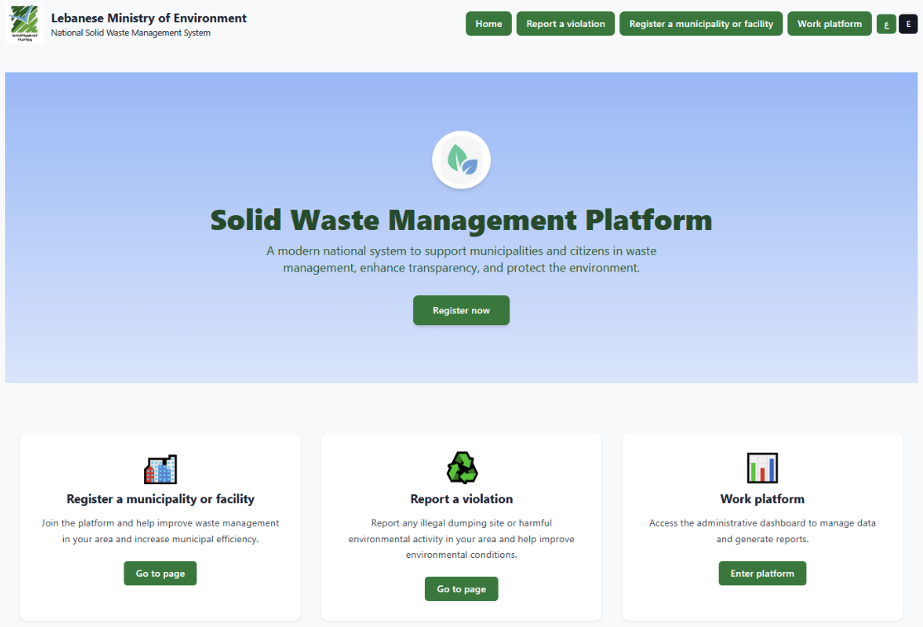
Homepage of the Solid Waste Management Platform
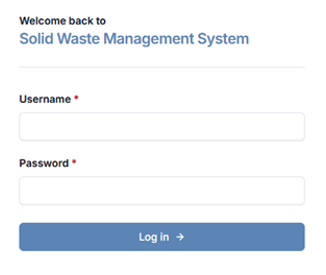
Login credentials
3.1 Ministry Registration Approval
Overview
Registration requests submitted by entities (Municipalities, Generators, Transporters, and Facilities) are reviewed by authorized Ministry-level users.
Users with the following roles can approve or reject registrations:
- System Administrator (superuser)
- Ministry Administrator (moe_admin)
Accessing Registration Requests
Ministry-level users to access and approve or return registration requests step by step.
- Log in using Ministry credentials.
- Navigate to المراقبة (Monitoring)
- Choose طلبات تسجيل أصحاب المصلحة قيد المراجعة (Pending Stakeholders Registration) or طلبات تسجيل البلديات قيد المراجعة (Pending Municipality Registrations)
- Select Pending Registrations.
Reviewing a Registration
- Click on the entity name.
- The system opens the full registration details.
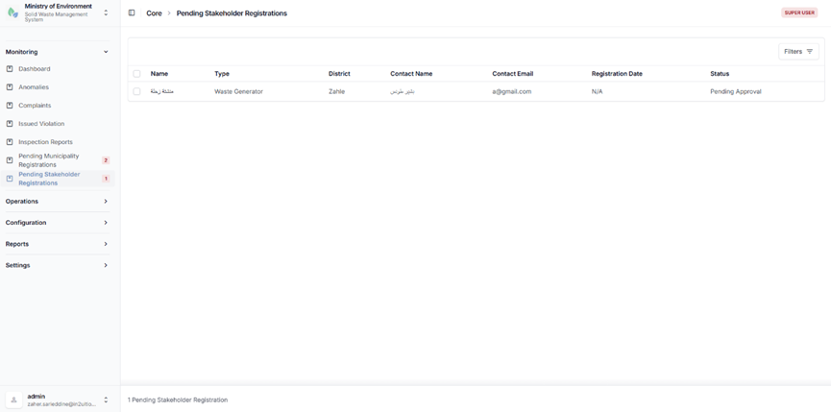
Pending registration requests list
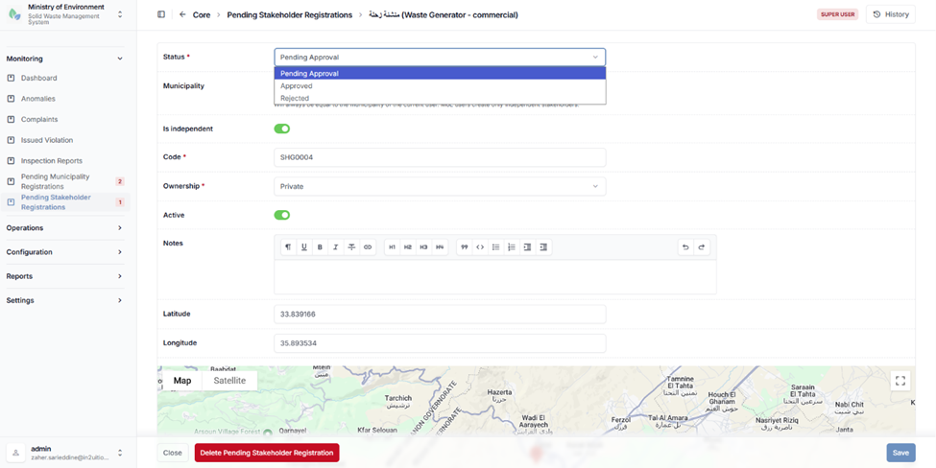
Detailed registration information
If the information provided by the submitting stakeholder is full and accurate:
- Click موافق عليه (Approved).
- Confirm the action in the confirmation dialog.
If the information provided by the submitting stakeholder is missing and or is not accurate:
- The Ministry personnel should contact the submitting party to provide the information missing
- Once the missing info is received, the Ministry user will upload it to the stakeholder submission and then approve the request.
Or
- The Ministry user will disapprove the submission and connect with the submitting stakeholder to inform him the reason for the rejection and describe the missing documentation or information required.
- The Stakeholder then shall resubmit another request with all required information where the ministry user will review again and approve once the submission meets all the requirements.
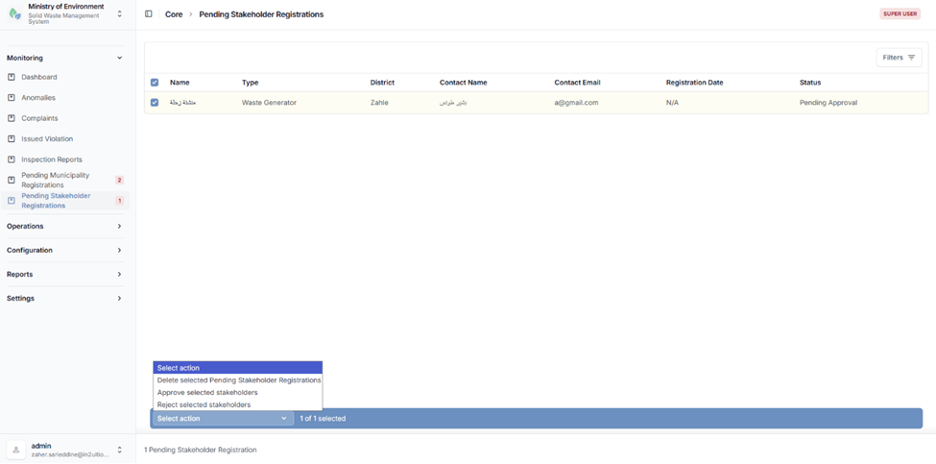
Approval registration
To view the approved municipalities or stakeholders, follow these steps:
- Go to الإعدادات (Configuration).
- Click on أصحاب المصلحة (Stakeholders) or البلديات (Municipalities).
- The system will display a list of approved municipalities or stakeholders.
- Click on the entity name to view the details.
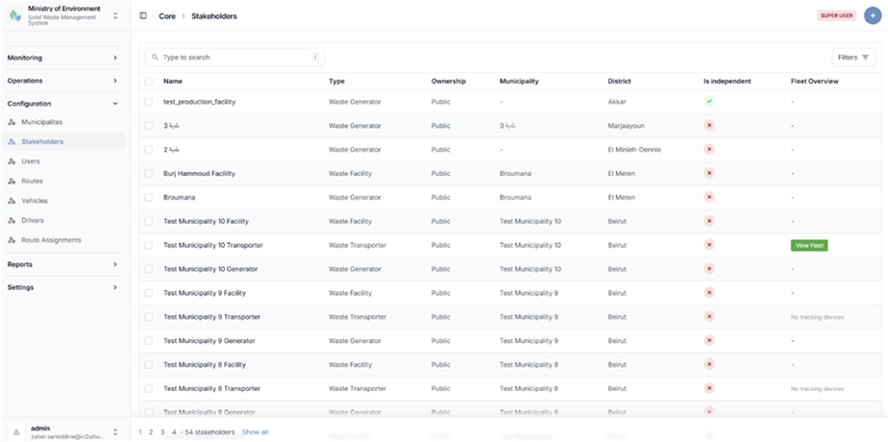
Municipalities and stakeholders list