SWMIS Platform - Ministry Specific
2. SWMIS Registration
Accessing the Platform as a Ministry User
Users from the Ministry of Environment are either System Administrators or Ministry Officers.
System Administrators are created by the developers with a username and a password that are preset and identified as system administrators permissions allowing them full access to the platform and its functionalities. They are the users that manages all other types of users, create profiles with specific permissions and responsible for all system configurations. System Administrators accepts or rejects a stakeholder user registration and provides the credentials for their accounts.
Ministry Officers are users created by the System Administrators with specific usernames and passwords provided to the intended users and present with system management functionalities, monitoring, auditing and other operational functions.
The Registration Process for Stakeholders
Users from Municipalities / Union of Municipalities, Waste Generators, Treatment and Disposal Facilities and Waste Transporter / Collector can access the SWMIS platform using modern web browsers (Chrome, Safari, Edge, etc…) using the SWMIS Platform public website URL:
https://swmis-production.up.railway.app/
Steps:
- Navigate to the SWMIS public website.
- Click on the “Register a municipality or facility” button on the homepage.
- The system displays the Register a new entity page.
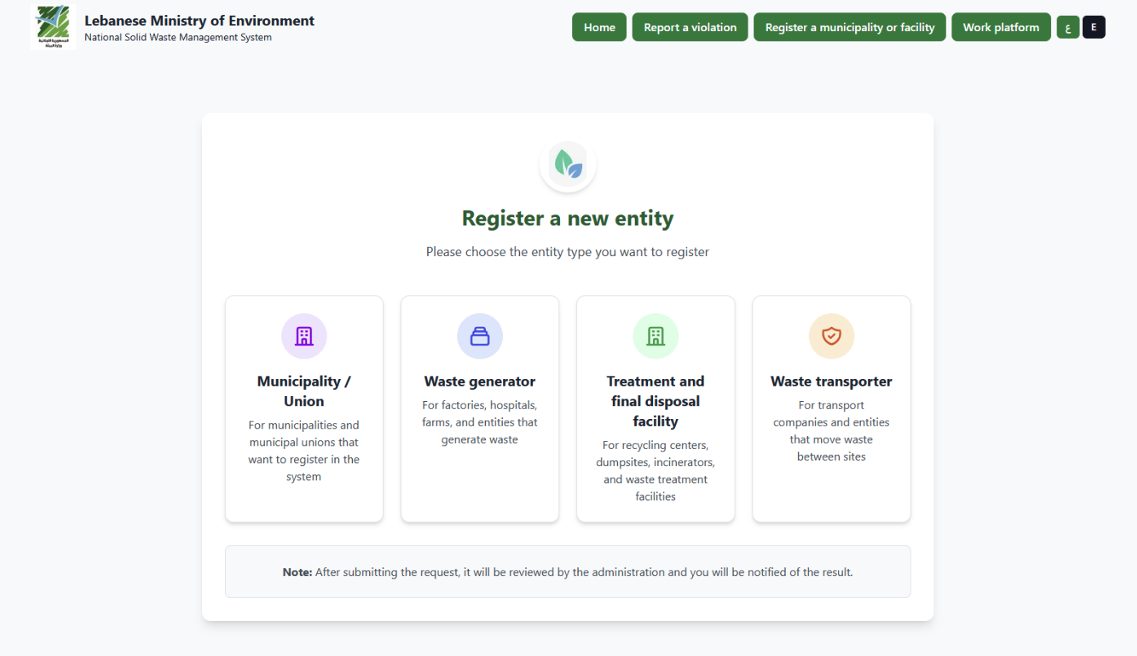
Registration landing page
Register a New Entity
Overview
The Register a New Entity page allows organizations to submit a request to join the Solid Waste Management Information System (SWMIS).
This page is accessible from the public interface and is intended for municipalities and waste-related stakeholders to register in the system.
Page Purpose
This screen enables users to select the type of entity they want to register. Each entity type corresponds to a specific role in the waste management chain.
After selecting the appropriate category, the user will be redirected to a registration form specific to that entity type.
After completing the required form:
- Review all entered information carefully.
- Ensure all mandatory fields are filled.
- Click Submit.
- A confirmation message will appear.
- The registration request will be sent for review and approval by the system administrator at the Ministry of Environment.
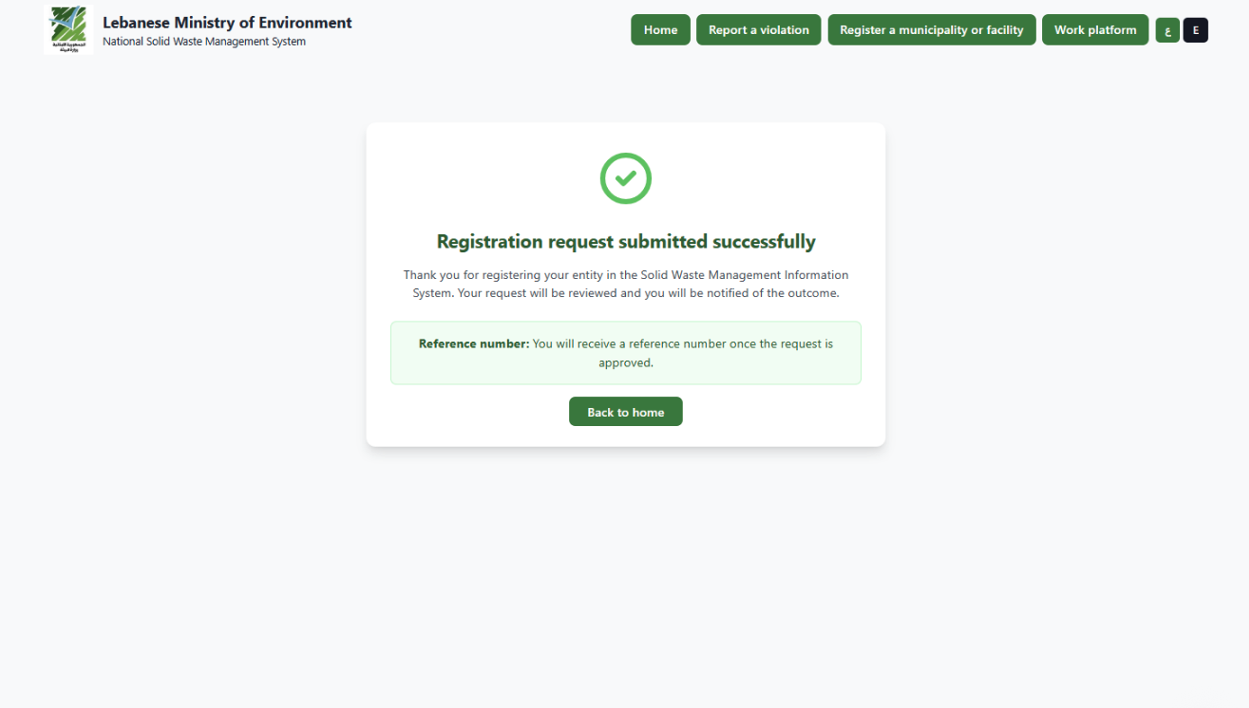
Registration confirmation
It is then the responsibility of the Ministry System Administrators to verify the data submitted by any of the stakeholders and approve it to activate its profile.
Registration Status
After submission:
- The request remains in Pending status until reviewed by MoE System Administrators.
- The applicant will receive an email notification once approved or rejected.
- Upon approval, login credentials will be provided.
2.1 Pending Municipality Registrations
The Pending Municipality Registrations module allows municipalities to submit registration requests through the platform by providing the required administrative details and supporting documentation.
Once a registration request is submitted, it is recorded in the system and made available to authorized Ministry users for review and validation.
The Ministry reviews the submitted information to ensure completeness, accuracy, and compliance with registration requirements.
Based on this evaluation, the Ministry has the authority to:
- Approve the registration, granting the municipality access to the system, or
- Reject the registration, with the option to request corrections or additional information.
This module ensures controlled onboarding of municipalities and supports proper verification before granting system access.
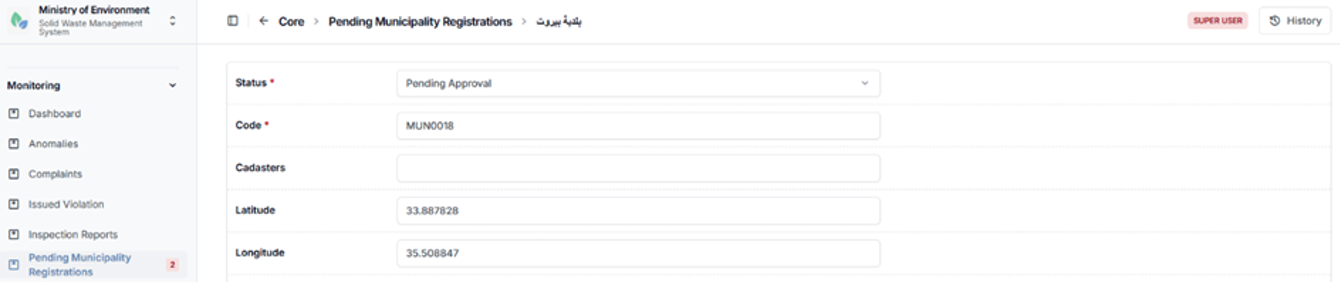
Pending municipality registration details
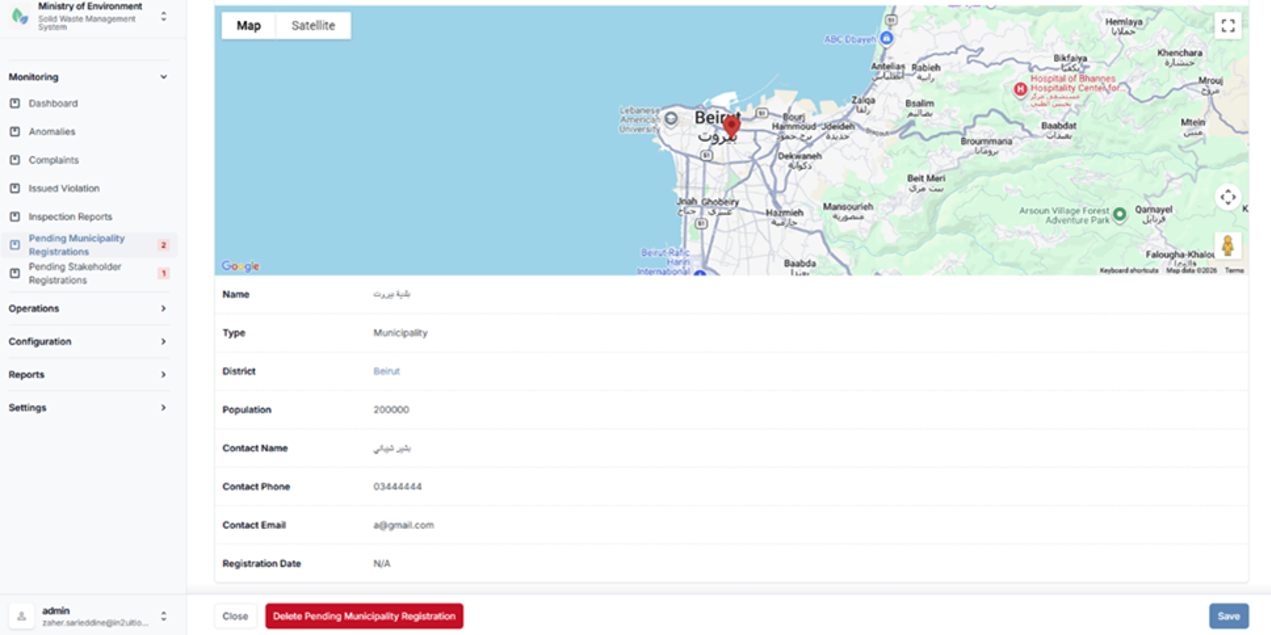
Pending municipality registration details
2.2 Pending Stakeholder Registrations
The Pending Stakeholder Registrations module allows external stakeholders to submit registration requests to access and operate within the system under one of the following categories:
- Waste Generator
- Waste Transporter
- Waste Management Facility
Upon submission, each registration request is recorded in the system and made available to authorized Ministry users for review and validation.
The Ministry evaluates the submitted information and supporting documentation to ensure compliance with regulatory and operational requirements. Based on this assessment, the Ministry has the authority to:
- Approve the registration, granting the stakeholder access to the system, or
- Reject the registration, with the option to request additional information or corrections.
This module ensures controlled onboarding of stakeholders and supports proper verification prior to granting system access and operational permissions.
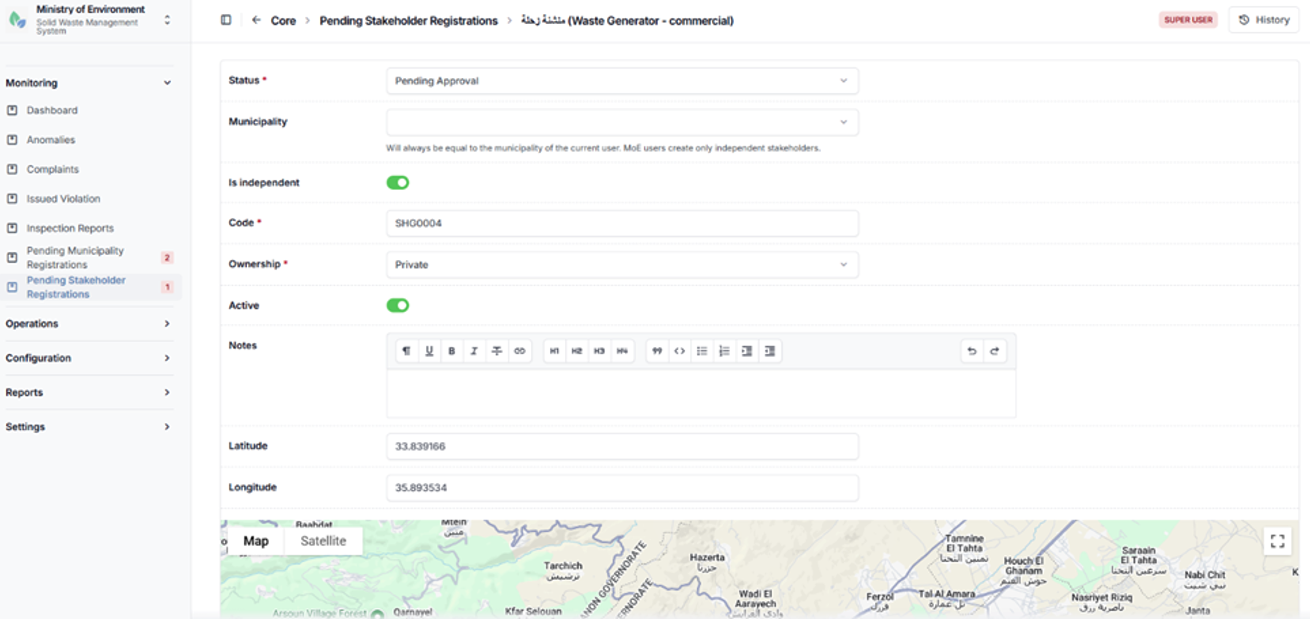
Pending stakeholder registration details
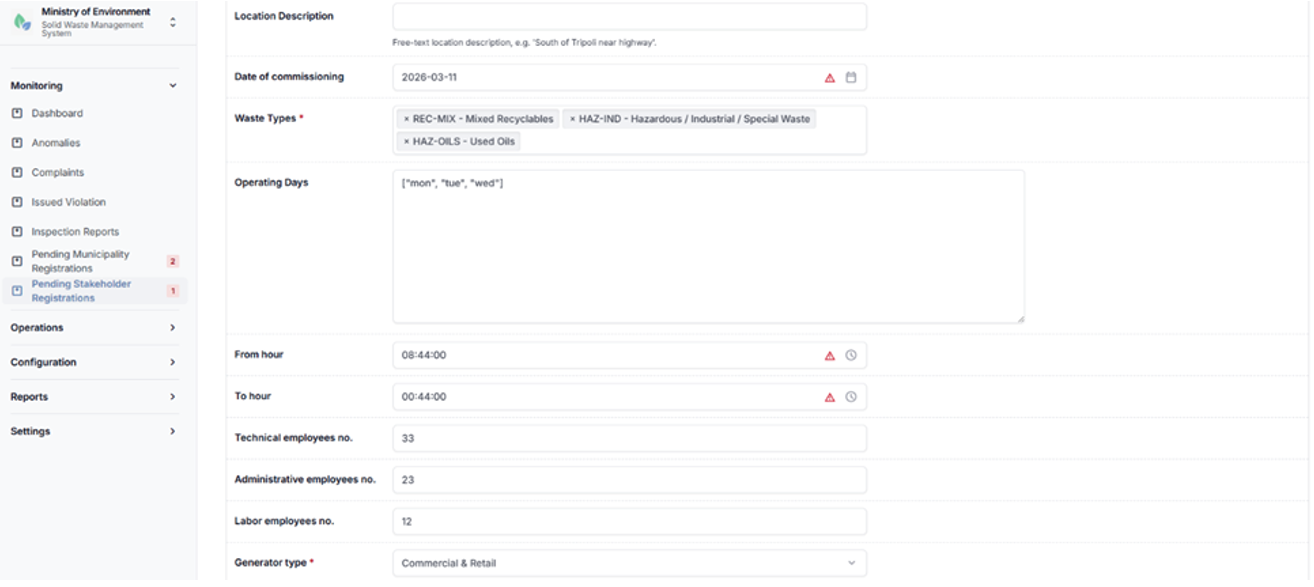
Pending stakeholder registration details
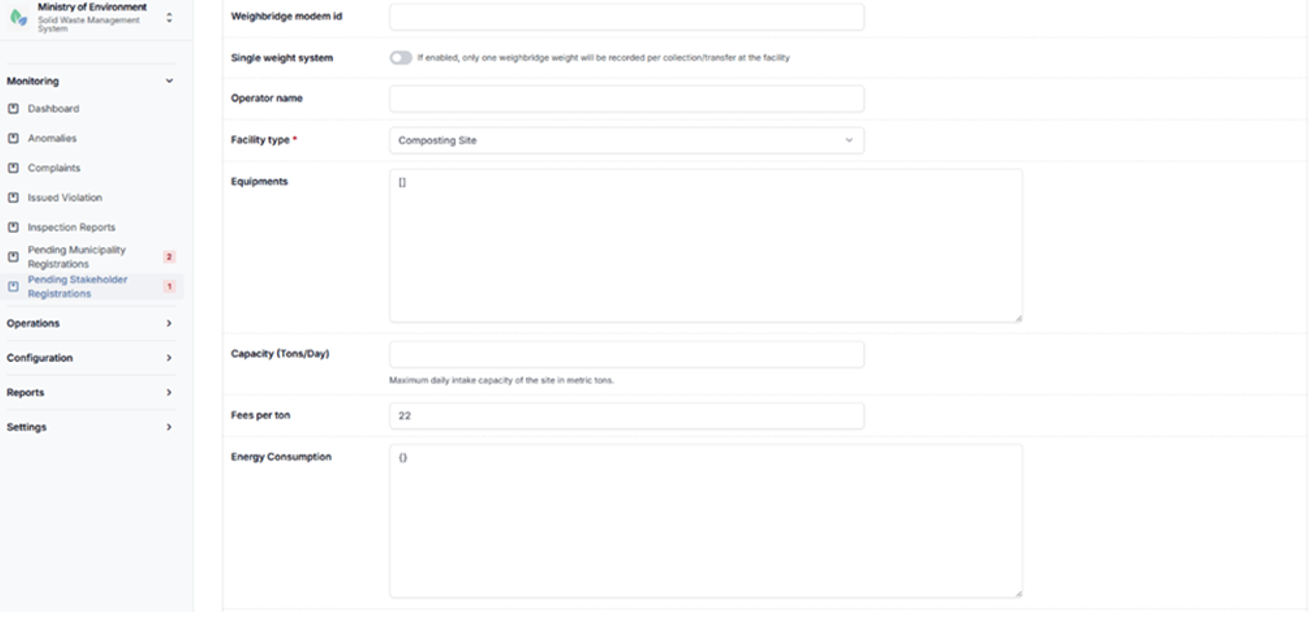
Pending stakeholder registration details
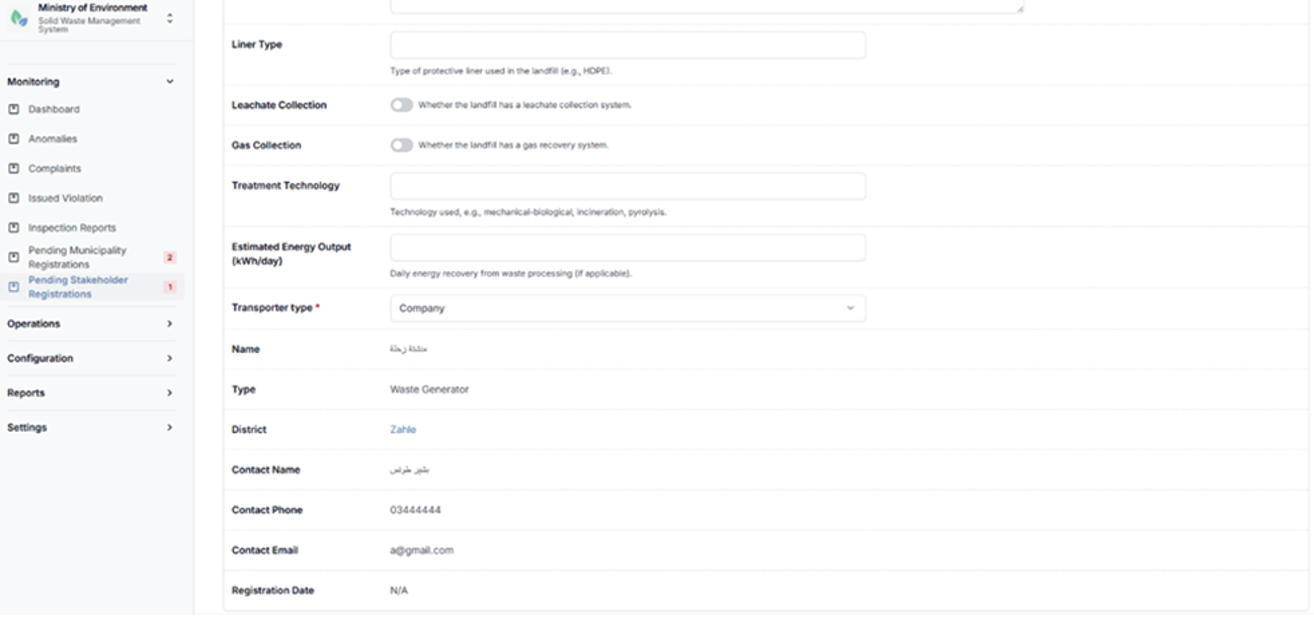
Pending stakeholder registration details